For your gym
Connect selected stations without a major equipment refit. Shape a planned gym dashboard around your floor, with agreed fee sharing on eligible gym-linked coaching payments.


For gym owners · Free one-month pilot
Give members guidance when they train independently, make progress visible and keep your PTs connected. A tap at a tagged station opens the relevant exercise, bringing the gym floor into the training experience.
Built in Ireland. Selected gyms get one month free, with agreed NFC tags and tripod stands. No automatic paid subscription. January 2027 target, subject to readiness.
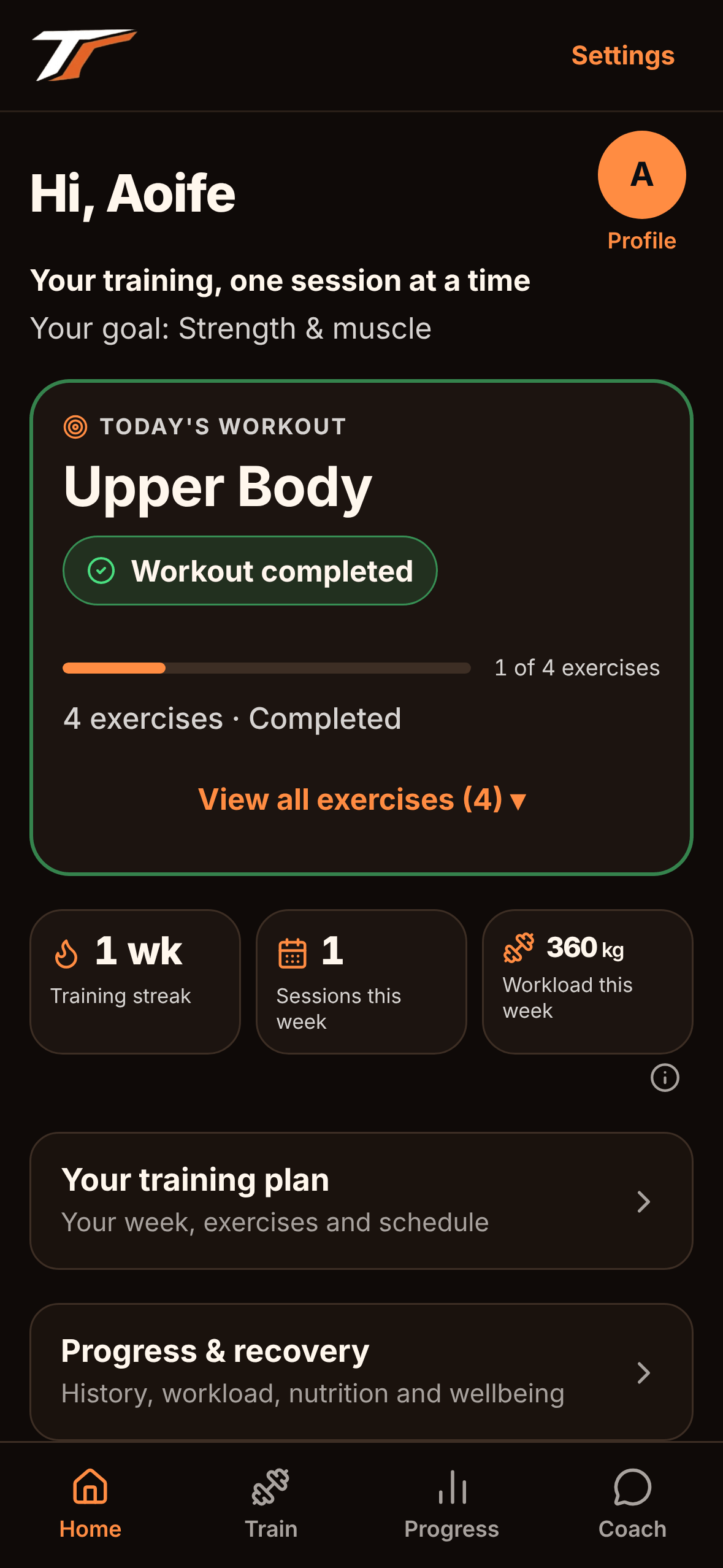
Today’s workout, weekly workload and progress in one home screen. Aoife is a sample profile with an AI-generated portrait.
Enlarge screenshot ↗Built for your gym
Connect selected stations without a major equipment refit. Shape a planned gym dashboard around your floor, with agreed fee sharing on eligible gym-linked coaching payments.
Tap a station’s tag to open the exercise and guide. Follow the plan, log sets and explore camera feedback on supported exercises. Track progress in your preferred theme and light/dark appearance.
See what clients actually trained against the programme. Keep messages, submitted videos and in-person feedback with the client.
Gym management dashboard · In development
We’re building a gym dashboard for equipment engagement, attendance trends, trainer activity and equipment issue follow-up. Help shape the views that matter to your team during the pilot.
Support your gym’s coaching team
Your trainers can create programmes and their own coaching packages, with their own prices and included support. Their workspace follows each client’s package, with optional panels they can arrange or hide.
On a computer, your team can schedule classes for client groups, see the one-to-one sessions clients book, run group chats, message clients and upload demonstration videos through the desktop dashboard.
Why a tap helps
A machine name isn’t always obvious. A TENSCOREE NFC tag links that station to the right exercise experience: tap with a compatible phone, open the guide and start from the right place. Authorised gym staff can add their own demonstration videos and cues for members.
Open the relevant exercise without hunting through a long list or entering its name.
Read the guide before the set, then follow your programme and record what you actually did.
Use logged sets and workout history to prepare for the next session. Connected PTs can review the work clients log.
NFC opens the exercise; it does not automatically record a set or assess technique. Available at tagged stations in participating gyms. Members can also select exercises manually.
Form analysis
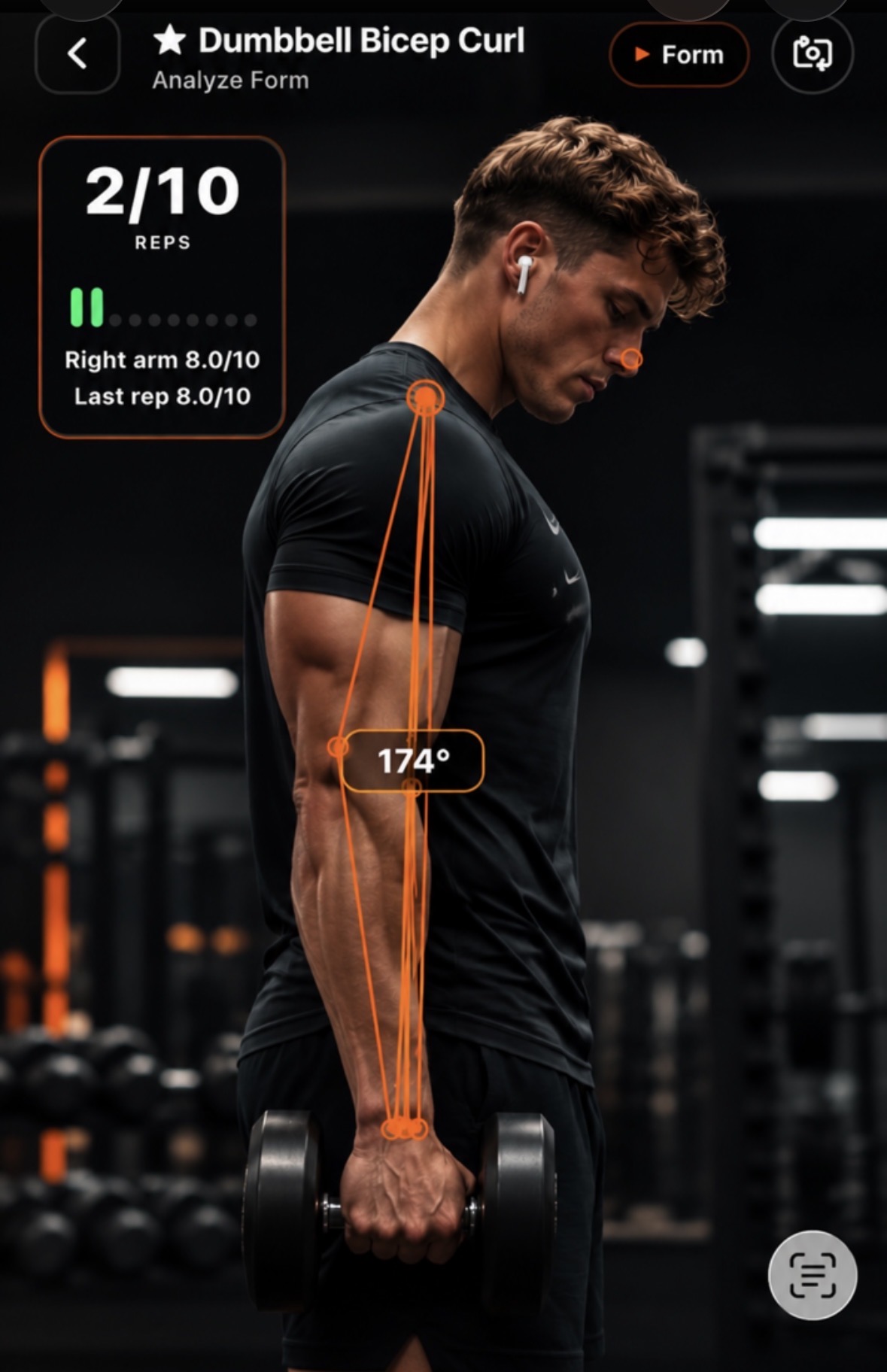
Analyse Form tracks movement, counts supported reps and gives an automatic set review. Dumbbell curls, hammer curls and push-ups are among the movements undergoing PT-led testing.
Check the exercise guide before training. After a supported set, review the camera feedback. For a PT’s form rating, send them a video or train with them in person.
Camera support and accuracy vary by exercise and setup. The image is a product illustration; automatic feedback is separate from a PT’s assessment.
A reason for members to keep tracking
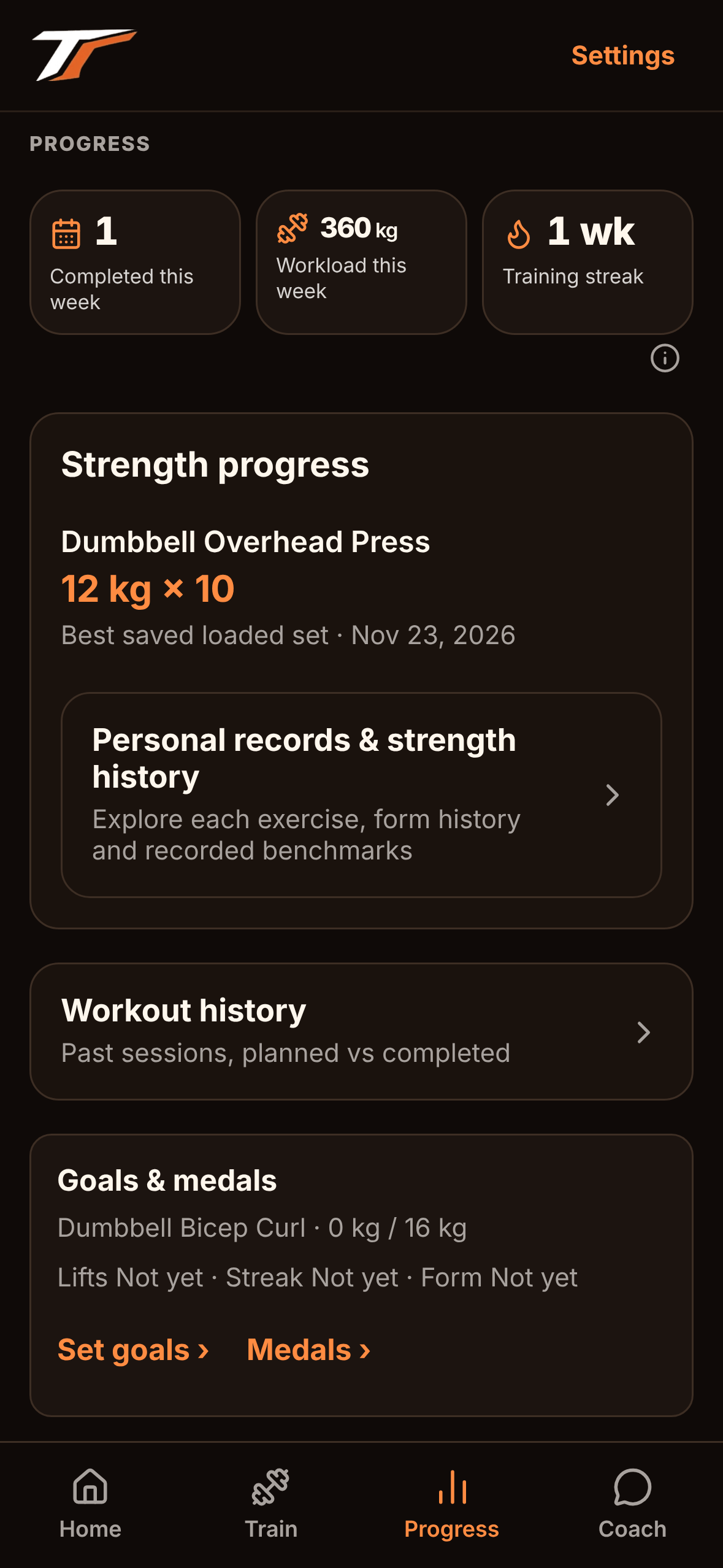
Real app screen with example training data: weekly activity and a saved 12 kg × 10 dumbbell press set.
Enlarge progress screenshot ↗Give members a visible training record they can return to—and connected PTs the context to discuss the next step.
No. Members and independent PTs can use programmes, logging and coaching without NFC equipment.
Only after watching a video you sent them or observing you in person. A logged workout alone cannot receive a PT technique rating. Supported AI form feedback is separate.
TENSCOREE is developed with PT input. Selected camera-supported exercises are undergoing PT-led testing of counting and form feedback. This does not mean every exercise, guide or automatic score has been independently validated.
AI-assisted counting and form feedback support selected movements, including dumbbell curls, hammer curls and push-ups. Accuracy is undergoing PT-led testing; support varies by exercise.
Selected gyms receive a free one-month pilot with agreed tripod stands and NFC tags. Continue only if you choose: there is no automatic paid subscription.
No. Coaching packages and access to a gym’s equipment tags are separate. The coach and gym confirm their own arrangements.
Apply for the free one-month gym pilot. We’ll agree the stations, setup and testing group with you. Continue afterward only if you choose, or leave with no costs incurred.