Classes and bookings
Schedule classes with a time, place and notes for a group, and everyone in it sees them in their app. Clients book one-to-one sessions from the times each PT makes available.


For gyms
Give members a quick route from equipment to exercise guidance, a record of their progress and a connection to their PT. Schedule classes, see the PT sessions clients book, run group chats and message clients from a desktop dashboard. We’re also building a management dashboard so your team can follow activity across the floor.
Classes, groups and messaging
Sign in on a computer with Coach & gym login and manage coaching from a full desktop dashboard, the same one your team uses in the app.
Schedule classes with a time, place and notes for a group, and everyone in it sees them in their app. Clients book one-to-one sessions from the times each PT makes available.
Put linked clients into groups, such as a beginners’ strength block, each with its own chat. Message clients one to one and check their logged training.
Add demonstration videos and technique cues for your gym or your own clients, straight from your desktop.
The desktop dashboard is for PTs and gym staff. Members train, log sets and use camera form feedback in the phone app. Classes are scheduled for linked clients in a group. Open drop-in booking for any member, with class capacity limits, is not available yet.
Gym management dashboard · In development
A dedicated management workspace is being built for gym owners. These are the planned views—not live statistics or a finished dashboard.
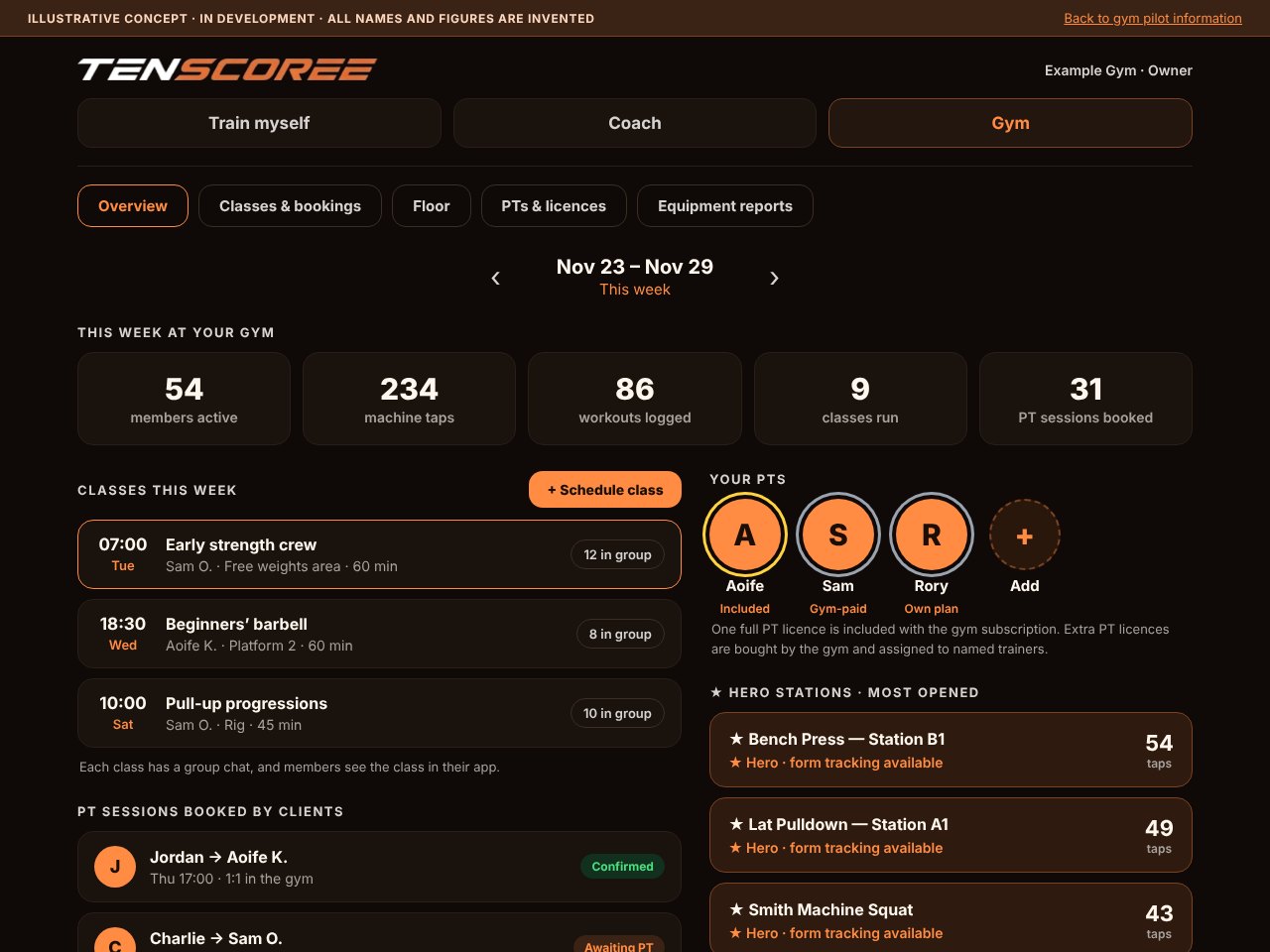
See which tagged stations members open most, and review and follow up on equipment problems members report.
Explore activity over time to understand participation and busy periods, using the data sources agreed for your gym.
See every class your PTs run, the sessions clients book and which trainers hold your included and gym-paid licences.
Dashboard availability, reporting and data access will be confirmed with participating gyms during the pilot. These planned tools are separate from the member and PT screens shown on this site.
Selected gyms receive a free one-month pilot with tripod stands and NFC tags for the agreed setup. Choose to continue as a paying customer afterward, or leave with no costs incurred. There is no automatic paid subscription.
January 2027 is the target, subject to readiness. Places, start dates and participating stations are agreed with each selected gym.
A phone tap opens the relevant exercise and guide: no catalogue search or typing the machine’s name. Members can also select exercises manually when they train elsewhere.
Members can open exercise guides, log sets and see workload, saved strength results, records and goals. Supported camera exercises add feedback using their own phone.
Trainers can set programmes, see completed training and keep feedback with the client. Coaching packages remain the PT’s own offers.
Your gym’s guidance
Authorised gym staff can add exercise videos and technique cues for their gym’s members. Show the setup you teach on the equipment they actually use.
Find the movement you want to explain.
Upload a video and write the setup cues your team uses.
Your gym guide is available within your gym. Members can choose gym guidance or their connected PT’s guidance.
Gym publishing requires staff access. Your edits do not change the worldwide library. Where no custom guide is supplied, the default remains available.
The business model
After the free pilot, a paid facility licence covers the agreed connected-floor setup and member access. Your gym controls access to its tagged equipment; a PT package does not grant floor access.
PTs set their own coaching packages and prices. Clients pay for the support they choose, separately from the gym’s facility licence.
PTs keep 100% of what their clients pay them. TENSCOREE takes no cut of coaching payments, and neither does the gym — your licence is the only thing you pay.
Facility pricing and payment activation are confirmed before paid participation. No income or retention uplift is guaranteed.
Choose stations, trainers and a small group of members to test with.
Try equipment access, guides, logging and supported camera workflows in normal sessions.
Review feedback together before choosing whether to continue.
No ceiling cameras are required. Supported analysis uses the member’s phone. Recording and sharing choices depend on the feature; see the privacy policy.
It is in development. The planned views are described above; availability and reporting scope will be agreed with pilot gyms before wider release.
Founded in Ireland by Patrick Brady, with PT input on exercise testing and the coaching experience.